
1. What Is Agentic AI and Why Business Owners Should Care
Imagine a system that does more than answer a question or trigger a single task. It can take a business goal, work through the required steps, use approved software tools and report back when the work is complete. That is the promise of agentic AI.
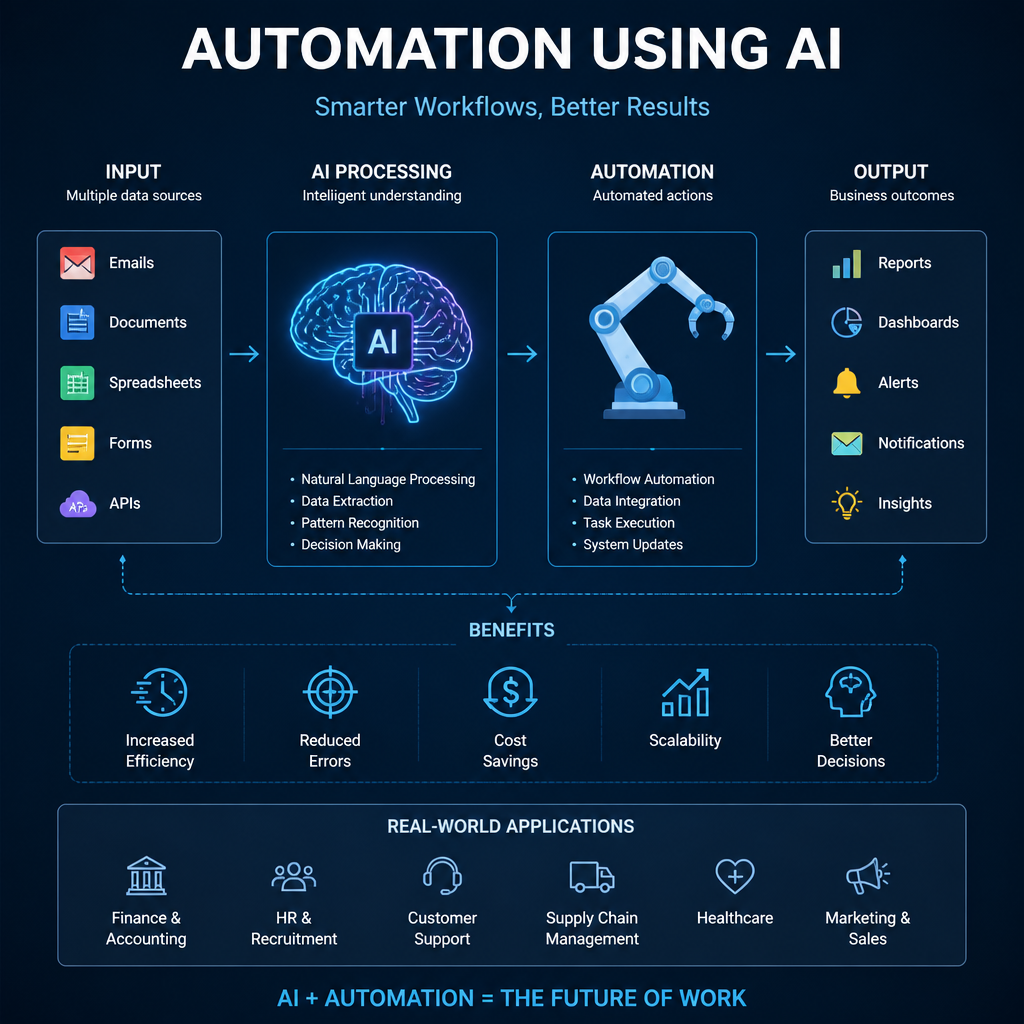
Agentic AI is artificial intelligence designed to pursue an objective, make decisions across multiple steps and take actions in connected systems. For example, an agent could receive a new customer inquiry, review the details, check stock levels, update the CRM and prepare a tailored reply for approval.
This differs from traditional automation, which follows fixed rules such as, “When a form is submitted, send an email.” It also goes beyond a standard chatbot, which typically provides a one-off answer but does not continue working across your business applications. Agentic AI can interpret context, decide what should happen next and adapt within its defined limits.
For business owners, the potential value is practical: faster execution, less repetitive administrative work, more consistent processes and greater capacity to scale without adding the same amount of manual effort. Teams can spend more time on customer relationships, judgement-based decisions and exceptions that genuinely need human attention.
However, agentic AI is not a hands-off replacement for people or sound processes. It performs best when goals are clear, data is reliable and access permissions are tightly controlled. Human oversight remains essential, especially for financial actions, sensitive customer communications and decisions with legal or compliance implications.
2. The Core Concepts Behind Agentic AI
An agent operates through an agent loop: it receives a goal, reviews the information and tools available, selects an action, checks the outcome, then repeats the process until the work is complete or human help is needed. For example, to resolve a delivery inquiry, it might look up an order, check carrier status, identify a delay and draft an appropriate customer update.
This depends on agentic reasoning, the ability to turn a broad objective into smaller, ordered tasks. Rather than following one fixed path, the agent can decide what information is missing, prioritise the next step and adapt when circumstances change. If an order record lacks a tracking number, it may search another system, request clarification or escalate the case instead of producing an unreliable answer.
Tool calling gives the agent the ability to act within approved business software. It can retrieve or update CRM records, send a draft email, schedule a calendar event, query a database, update a spreadsheet or create a help desk ticket. Each action should be limited to the permissions granted by the business.
MCP, short for Model Context Protocol, is an emerging standard that helps AI applications connect to external tools and data sources in a more consistent, controlled way. It can simplify secure integrations without giving an agent unrestricted access.
An agent is not independent software left to run unchecked. It needs clear instructions, defined boundaries, role-based access controls, activity logs and monitoring. These safeguards determine what it can do, when it must ask for approval and how your team can review its decisions.
3. How Agentic AI Improves Workflows Compared With Basic Automation
Traditional workflow automation follows predefined rules: when a form is submitted, create a record; when an invoice is approved, send an email. It is reliable for predictable tasks, but it can struggle when information is incomplete, requests are phrased differently or a decision depends on context.
Agentic workflows add flexibility. Using agentic reasoning, an AI agent can interpret an incoming inquiry, identify the relevant details and decide which steps are needed. For example, it might read a customer request, check product inventory, update the customer’s CRM record, and draft a personalised response based on delivery availability and account history. Tool calling allows the agent to coordinate these actions across systems rather than treating each application as a separate process.
The agent loop also helps with exceptions. Instead of failing silently when a required detail is missing, an agent can ask the customer for clarification, search approved data sources, flag an unusual case or recommend the next action to an employee. This makes automation more useful in real business environments, where processes rarely follow one perfect path.
Autonomy should still have limits. Require human-in-the-loop approval for payments, refunds, sensitive customer messages, compliance decisions and other high-impact actions. Start with a narrow, high-volume workflow that has clear inputs and a measurable outcome, such as reducing ticket response time or improving lead-routing accuracy.
4. Real-World Workflow Examples for Sales, Service and Operations
Agentic AI is most useful when it supports a defined business process across the systems your team already uses.
In sales, an agent can review inbound form submissions, research the prospect’s company, identify fit against qualification criteria and enrich the CRM record. It can then assign the lead based on territory, industry or account ownership, and prepare a personalised follow-up message for a sales representative to review and send.
For customer service, an agent can classify tickets by issue type and urgency, retrieve relevant knowledge base articles and draft a response using the customer’s account context. It can update ticket fields automatically, while escalating complaints, security concerns or complex cases to a human agent with a concise summary of the issue.
Operations teams can use agents to monitor purchase orders and compare supplier updates against planned delivery dates. If an order is delayed, the workflow can flag the risk, identify affected orders and notify the relevant internal teams or customers.
In finance administration, agents can extract invoice data, match invoices to purchase orders and identify discrepancies. Cases that do not match can be routed to the appropriate reviewer with supporting documents attached.
HR teams can use similar workflows to answer routine policy questions, schedule interviews and create onboarding checklists. Tool calling can ensure each required task is completed across HR, IT and payroll systems, while managers retain oversight of exceptions and approvals.
5. Agentic AI Software Solutions and a Practical Adoption Plan
Businesses can evaluate platforms such as Microsoft Copilot Studio, Salesforce Agentforce, ServiceNow AI Agents, UiPath, Zapier Agents and OpenAI-based agent solutions. The right choice depends less on the newest features than on practical fit: the systems your business already uses, required data access, security and privacy obligations, workflow complexity and the technical skills available internally.
Start with a focused pilot rather than attempting to automate an entire department. Choose one repeatable workflow with a clear outcome, such as qualifying inbound leads or routing invoice discrepancies. Map every current step, including decisions, exceptions and approvals. Set success metrics before building, connect only approved tools and data sources, then test the workflow against historical cases. Launch with limited permissions, especially where an agent can update records, send messages or trigger financial actions.
Track operational results throughout the pilot, including turnaround time, cost per task, error rates, employee adoption, customer satisfaction and the number of cases requiring escalation. These measures show whether the agent is genuinely improving the process or simply shifting work elsewhere.
Governance should be part of the design, not an afterthought. Use role-based access controls, audit logs and data privacy protections. Test prompts, tool calling rules and fallback procedures regularly. Every workflow also needs an accountable process owner who can review performance, approve changes and decide when human intervention is required.
6. Getting Started With Agentic AI Responsibly
Agentic AI moves beyond answering a single question. By combining agentic reasoning, an agent loop and tool calling, it can assess a goal, break it into steps, use approved business systems and check whether the work was completed correctly. Used well, this can turn AI from a helpful interface into practical support for everyday operations.
The goal, however, should not be to adopt AI simply because it is available. Start with a workflow outcome that matters to your business. Look for a repetitive pain point that delays customers, creates manual effort for staff or causes avoidable errors. A strong first use case is usually narrow, frequent and easy to measure, such as routing service requests, updating CRM records or checking invoice details.
Successful deployment depends on more than capable software. Your process must be clear, your data must be accurate and accessible, and the agent must operate within defined permissions. Human oversight remains essential, particularly where actions affect money, sensitive information, compliance or customer relationships. Give people clear escalation paths and the authority to review or override decisions.
The practical next step is simple: identify one workflow your team repeats every day. Document its decisions, inputs, systems and exceptions, then assess where an agent can safely assist or automate part of the work. The best agentic AI projects solve a real operational problem, with measurable results and responsible control.