
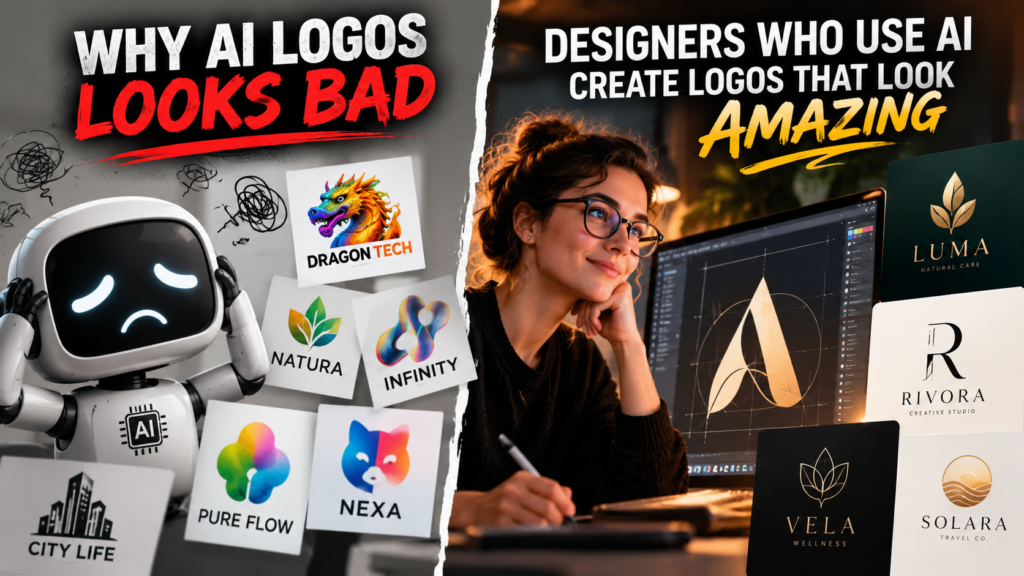
1. Why So Many AI Images Look Bad
Most designers recognise the pattern immediately: an AI image looks generic, distorted, excessively polished or nothing like the idea that was requested. The logo has unreadable lettering, the architecture has impossible geometry, the people have strange hands, or the whole composition feels like a familiar visual cliché assembled at random.
This is not always evidence that AI is useless. Often, it is evidence that the brief was insufficient.
A prompt such as “modern logo for a coffee shop” leaves almost every meaningful design decision unresolved. What kind of coffee shop? Who is it for? Is the identity warm, industrial, premium, local or playful? Should the mark be typographic, symbolic or both? What are the required colours, shapes, proportions, clear space and production applications? Without those constraints, an AI logo generator can only rely on broad associations: coffee beans, cups, script lettering, beige palettes and generic minimalism.
AI also has genuine weaknesses. Typography remains unreliable, factual details can be wrong, brand elements may drift between iterations, and complex anatomy or technical structures can fail. These limitations matter, particularly in ai graphic design intended for public-facing or production use.
Yet poor prompt structure remains one of the main causes of poor output. AI responds to instructions, references and constraints. It does not replace visual judgement. The quality of an image depends heavily on whether someone can define what should be made, what must be avoided and how the result should be assessed.
2. A Good Prompt Is a Technical Design Specification
A strong prompt works much like a professional brief or a technical drawing specification. It does not merely name an object. It defines the conditions under which that object must appear: subject, composition, viewpoint, scale, geometry, materials, lighting, colour palette, typography, negative space and intended use.
Designers already work with these variables. Layout establishes hierarchy and clear space. Perspective determines whether an architectural image reads as an elevation, section or axonometric view. Grids control alignment, while colour systems and production constraints determine what can be reproduced consistently across print, screen and physical environments.
For example, instead of requesting “a modern building illustration”, a useful instruction might specify: “axonometric architectural illustration of a compact civic library, 30-degree isometric view, pale concrete and anodised aluminium façade, soft north-west daylight, white background, restrained blue wayfinding details, no people, clean linework, suitable for a planning presentation.” Each constraint reduces ambiguity.
The same applies to an ai sign or ai logo. A wayfinding sign prompt can define a front elevation, sign dimensions, material finish, pictogram placement, contrast requirements and legible letter spacing. A geometric ai logo can specify a two-colour mark, circular geometry, controlled clear space and no simulated text.
Prompting is also iterative. Designers define what to include, identify unwanted visual habits, lock consistent elements and refine individual variables in later passes. The process is not guesswork. It is art direction expressed as instructions.
3. Using AI for Designing Can Be More Technical Than Drawing Shapes
Using AI for designing is not necessarily easier than conventional software. In Adobe Illustrator, a designer can draw a circle, adjust its anchor points, set an exact stroke weight and immediately inspect the result. The relationship between action and outcome is direct.
An AI workflow often requires a different kind of precision. The designer must translate a mental image into spatial, material and stylistic instructions, then interpret what the model has misunderstood. Reliable ai graphic design can involve prompt structure, model settings, reference images, image-to-image controls, inpainting, upscaling and rigorous quality checks. A strong first result is rarely the final result.
Technical drawing knowledge is particularly useful here. Terms such as front elevation, axonometric view, two-point perspective, section cut and scaled plan give a model clearer instructions than broad stylistic language. So do defined proportions, line weights, material finishes, lighting direction and relationships between objects. An architectural visual, for example, may need a fixed camera height, north-facing daylight, brushed aluminium panels and people shown at a believable scale.
This makes AI a technical and mathematical medium as well as a creative one. The designer establishes variables and constraints, generates possible outcomes, then measures them against the specification. AI can produce images quickly, but it cannot determine whether a proportion is credible, a perspective is usable or an ai sign meets real production requirements. That remains a designer’s job.
4. Debunking Common Designer Complaints About AI
“AI only creates generic work” is partly true, but generic inputs are usually the cause. A prompt asking for a “clean modern brand” invites familiar visual clichés. A clear concept, distinctive reference material, defined geometry and disciplined art direction give AI a more specific starting point. The result still needs review, but it is less likely to default to a predictable style.
“AI cannot make professional design” is also correct if “make” means delivering a finished identity or production-ready file without intervention. An AI logo may suggest a useful symbol, yet it cannot be trusted for final typography, clear-space rules, consistent brand systems, regulated signage or accurate vector artwork. Professional value comes from the designer who rebuilds, edits and tests the work, then supplies technically correct files.
Nor does AI remove creativity. Using AI for designing can accelerate visual exploration, allowing a team to compare many compositional or material directions early. It cannot decide which route answers the brief, reflects the client’s position or works across real applications. Those are design judgements.
There are legitimate ethical concerns. Responsible ai graphic design means checking platform terms, disclosing AI use where appropriate, documenting references and avoiding imitation of living artists’ styles. Human judgement remains essential.
AI does not remove the need for designers. Clients still need strategy, taste, coherent briefing, production knowledge, consistency and accountability. Experience makes those strengths more valuable, not less.
5. The Commercial Advantage: More Concepts, Better Output, Faster
The commercial value of using AI for designing is not that it replaces the designer’s process. It expands the number of useful options within that process. One well-defined creative direction can become controlled variations for campaign imagery, architectural concepts, packaging studies, social graphics, environmental visuals and early-stage identity routes.
A designer might previously have had time to develop one or two rough concepts before a client review. With a clear brief, good references and disciplined prompting, they may now explore ten credible directions, identify the strongest few and develop those properly. That gives clients more meaningful comparison, while giving the designer better evidence for the final recommendation.
Speed must not become an excuse for lower standards. Strong ai graphic design still requires selection, retouching, compositing, vector rebuilding, typography, colour control and final production checks. An AI logo may suggest a useful visual language, for example, but it still needs to be rebuilt as a reliable vector mark with tested clear space, legibility and reproduction rules. The same applies to an ai sign, where material, scale, regulations and installation details matter.
Pricing needs honest consideration. Hourly-paid designers may complete comparable work in fewer billable hours, creating pressure unless they redefine scope, rates or the value being sold. Project, concept and deliverable-based pricing can reward efficiency more directly.
Position AI as part of a premium service: faster exploration, stronger client presentations, more considered options and sharper art direction, not a shortcut to selling unedited generated images.
6. The Designer’s Opportunity Is to Turn Ideas Into Instructions
Bad AI images are not evidence that the technology has no value. More often, they expose an inadequate brief, an imprecise prompt, weak reference material or a rushed review process. An AI model can generate possibilities, but it cannot independently determine the right concept, assess whether a brand feels credible or recognise whether an architectural image respects the required proportion, material or context.
For designers, architects and technical illustrators, prompting should be treated as a professional skill alongside composition, drawing, typography, software fluency and client communication. It requires the ability to turn an internal visual idea into instructions that define hierarchy, geometry, viewpoint, atmosphere, materials, exclusions and intended application. In other words, using AI for designing relies on the same judgement that already separates a considered design process from decoration.
The advantage is speed of exploration. A designer can test visual directions rapidly, compare alternatives against a clear brief, then select, rebuild and refine the strongest route. An ai logo may inform an identity direction, and an ai sign concept may help test wayfinding in an environment, but professional delivery still depends on vector construction, correct typography, production knowledge and quality control.
The clear takeaway is this: AI will not remove the need for designers. It will reward professionals who can combine creative direction, technical drawing knowledge, ethical judgement and efficient production workflows to turn ideas into precise, useful outcomes.